
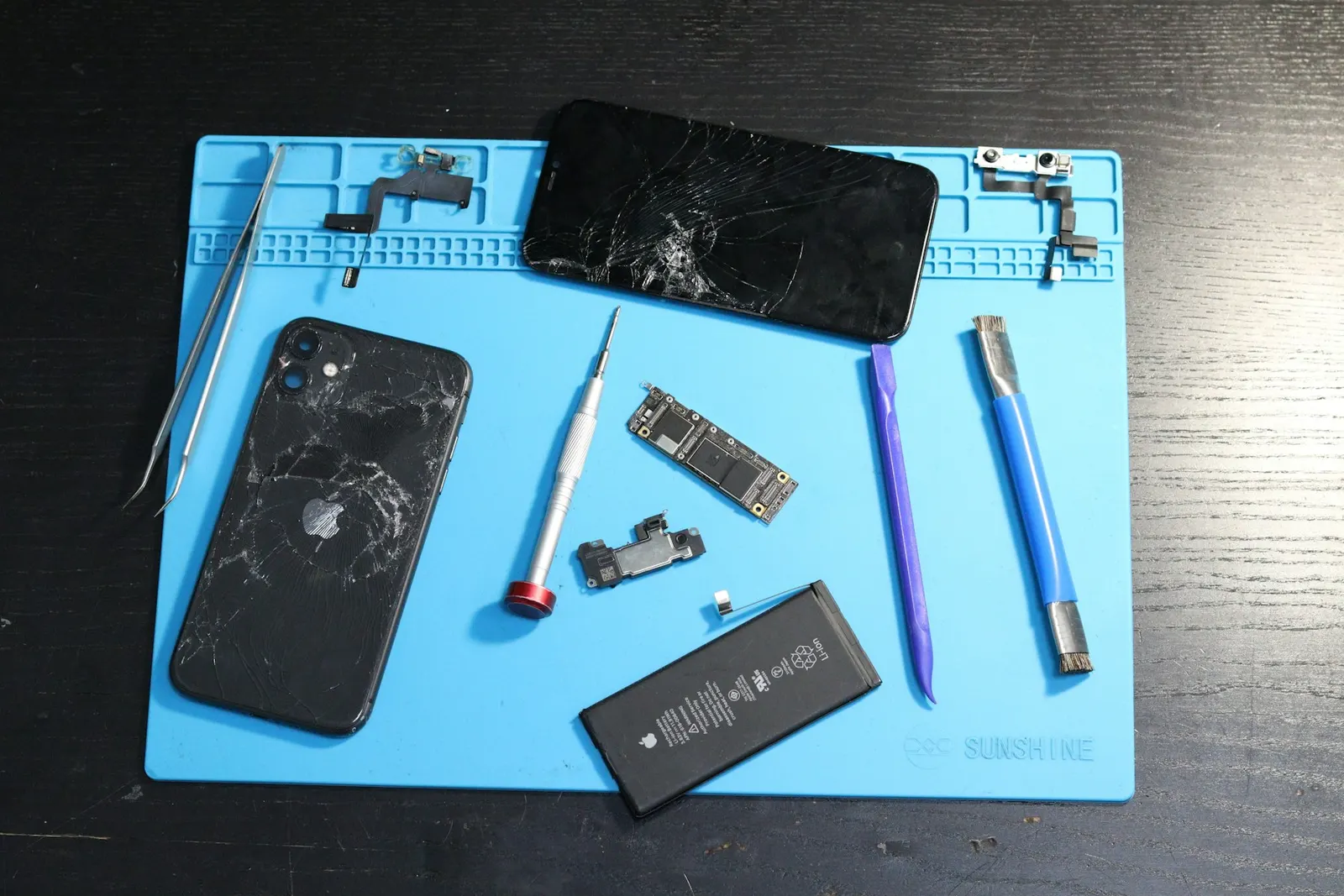
You notice a thin gap between your phone's screen and the frame. Or one side of the display has started to rise, and pressing it down makes it click back up. Some customers bring in phones where the screen has almost completely separated from the body. A lifting screen is easy to dismiss as "the glue has gone", and sometimes that is true. But at our Keshavpura shop we find that, very often, the screen is being pushed out from inside by a swollen battery. That turns a cosmetic annoyance into a safety issue, so it is worth understanding the causes before deciding what to do.
First: Stay Safe
Until you know the cause, treat a lifting screen as a possible battery problem:
- Stop charging the phone, especially overnight or unattended.
- Do not press the screen back down. If a swollen battery is underneath, pressing on it can damage the battery and, in the worst case, cause it to overheat or catch fire.
- Do not puncture, bend or heat the phone, and do not try to open it yourself.
- Keep it away from heat: no dashboards, direct sun, or pillows.
- If the phone is hot, hissing, giving off a sweet chemical smell or smoking, move it away from anything flammable onto a non-flammable surface and do not use it.
Our detailed guide on why swollen batteries are dangerous explains the risks and the warning signs.
The Main Causes of a Screen Lifting
1. Swollen battery
This is the most common and the most important cause. Lithium-ion batteries can swell as they age or if they are damaged, overheated, or charged with poor-quality chargers. The battery sits directly behind the display, so when it swells, it has nowhere to go except outwards, pushing the screen away from the frame. Signs that point to the battery include:
- The screen lifts in the middle or along a long edge rather than at one corner.
- The back of the phone also looks raised, or the phone rocks on a flat table.
- Battery life has dropped noticeably, or the phone shuts down at a medium charge level.
- The phone gets warmer than usual while charging.
2. Weak or failed adhesive after a previous repair
If your screen was replaced before, the adhesive used makes a big difference. Cheap adhesive, or a frame that was not cleaned properly, can let the screen lift after a few weeks or months, often at a corner. Heat from Kota's summers and from charging speeds this up.
3. Bent frame from a drop
A drop that bends the frame can leave the screen unable to sit flat. The gap often appears near the corner that took the impact. See our article on bent phone frame repair.
4. Wrong or poor-fitting replacement screen
A low-quality or slightly different replacement panel may not sit perfectly in the frame. Our guide to original vs duplicate screens explains why fit and finish vary.
5. Heat and age
Factory adhesive can soften over the years, especially in a phone that often gets hot during gaming, navigation or fast charging. Our article on phones heating while charging covers how to reduce heat.
How to Tell Which Cause It Is
| What you see | Most likely cause |
|---|---|
| Screen bulging in the middle, back also raised | Swollen battery |
| Gap at one corner after a drop | Bent frame or impact damage |
| Gap appeared weeks after a screen replacement | Adhesive or fitting problem |
| Screen lifting plus poor battery life and warmth | Swollen battery |
| Even gap on an old phone that runs hot | Aged adhesive, battery should still be checked |
Even if you think it is just adhesive, we always check the battery first, because a swollen battery must be dealt with before the screen is refitted.
Can I Keep Using the Phone Until I Get It Checked?
If the gap is tiny, appeared after a screen repair, and the phone stays cool with normal battery life, careful light use for a short time is usually manageable. Keep it out of your pocket where it gets pressed and bent, and avoid charging it unattended. If the screen is visibly bulging, the back is raised, or the phone feels warm, stop using it and bring it in as soon as you can. Also remember that a lifted screen leaves an open gap, so dust and moisture can now get inside easily.
Why Glue Alone Is Not the Answer
We often see phones where someone has pressed the screen back with glue or tape. If the real cause is a swollen battery, gluing the screen down traps the battery under pressure, which is dangerous. It also tends to crack the display, because the glass is being forced against a bulging battery. And when the phone eventually needs a proper repair, the extra glue makes the job harder and riskier for the screen.
How We Repair a Lifting Screen
- Safety check. We inspect the phone for battery swelling and heat before anything else.
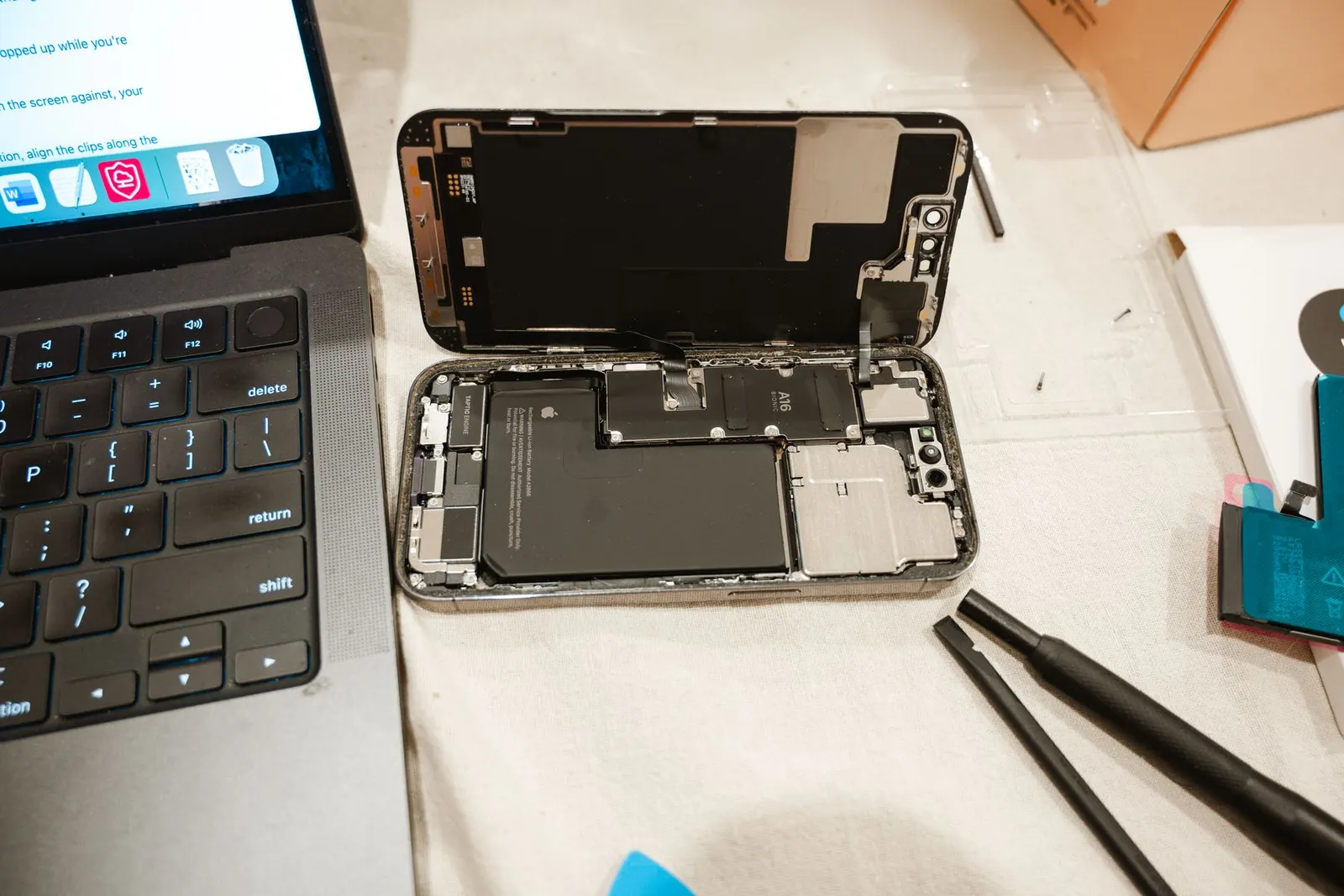
- Careful opening. The display is separated without putting pressure on the battery.
- Battery replacement if swollen. A swollen battery is always replaced, never reused. Learn more about our battery replacement service.
- Check the screen. A screen that has been pushed out by a battery is sometimes damaged; we test touch and display before refitting it.
- Clean and reseal. Old adhesive is removed, the frame is cleaned, and fresh adhesive is applied so the display sits flat and seals evenly.
- Frame check. If the frame is bent, we tell you whether it can be corrected or the housing needs replacing.
If the display itself was damaged, a new screen may be needed. Our mobile screen replacement service page explains the options. The exact price is confirmed after a free check-up, and every repair includes our warranty on the part and labour; the period depends on the part.
Preventing It From Happening Again
- Use a good-quality charger and cable suitable for your phone.
- Avoid using the phone heavily while it charges, especially gaming.
- Keep the phone out of direct sunlight and hot cars.
- Replace an ageing battery when battery health or battery life drops noticeably, before it swells.
- After a screen replacement, let the adhesive set as advised before exposing the phone to heat or pressure.
Get It Checked Safely in Kota
If your phone screen is lifting or popping out, stop charging it, do not press it back, and bring it to our Keshavpura shop. We check the battery first, tell you exactly what is causing the lift, and give you a clear quote before starting any repair.
Frequently asked questions
Why is my phone screen popping out on one side?
The most common cause is a swollen battery pushing the display outwards. Other causes include weak adhesive after an earlier screen replacement, a frame bent in a drop, or a poor-fitting replacement screen. The battery should always be checked first.
Can I press my phone screen back in or glue it?
Please do not. If a swollen battery is behind the screen, pressing or gluing the display traps the battery under pressure, which is unsafe and can also crack the screen. Get the cause checked first.
Is it safe to charge a phone with a lifting screen?
Avoid charging it until it has been checked. If the lift is caused by a swollen battery, charging can make the swelling worse. Never charge it overnight or unattended in this condition.
Does a lifting screen always mean I need a new screen?
No. Often the screen itself is fine and only the battery and adhesive need attention. We test the display before refitting it, and recommend a new screen only if it has been damaged.
Questions & comments
Ask our Kota technicians anything about this repair. All posts are reviewed before they appear. For an urgent quote, WhatsApp us.
No comments yet, be the first to ask a question.
Leave a comment or ask a question
First, verify your email. We send a 6-digit code so we know you are a real person. Your email is never shown publicly.
Enter the 6-digit code we emailed to .