
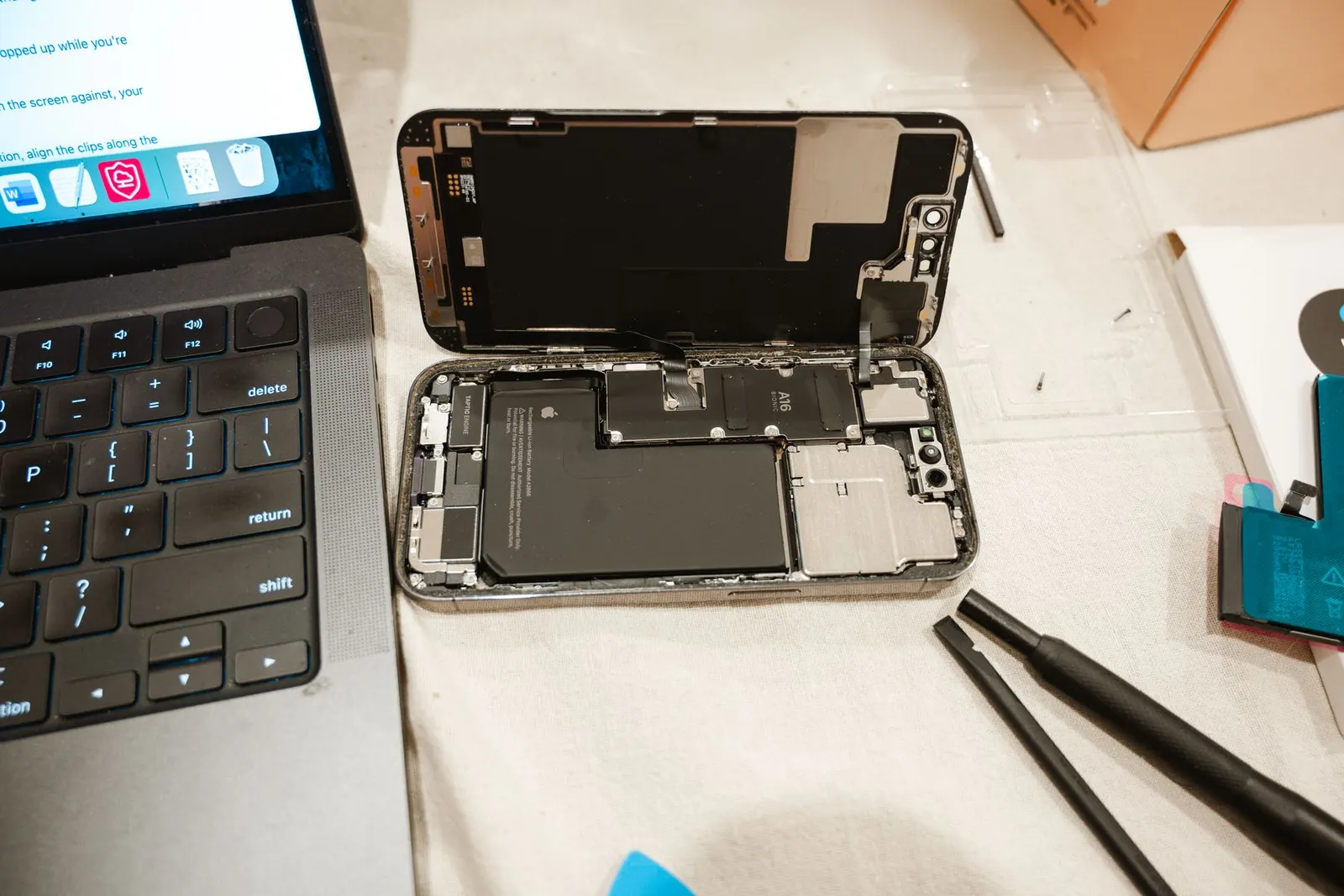
We see swollen batteries regularly at our Keshavpura shop, and we always treat them as urgent. If the back of your phone is lifting away from the frame, the screen is being pushed upward, or the phone no longer lies flat on a table, the battery is swelling. This is not a cosmetic issue, it is a safety situation that requires immediate action.
Why Does a Battery Swell?
Lithium-ion batteries produce a small amount of gas as a normal part of their chemistry. Manufacturers design cells with safeguards that manage this. However, when a battery ages beyond its design life, is overcharged repeatedly, suffers physical damage from a drop, or is exposed to excessive heat, these safeguards can fail and gas accumulates inside the cell. The rigid outer pouch expands as the gas builds up, this is what you see as swelling.
Common triggers we see in Kota include phones charged in hot cars during summer, phones that have been dropped and internally damaged, and simply old batteries that have gone well beyond their cycle life. Phones left charging in direct sunlight for extended periods are particularly vulnerable during Rajasthan's summer months.
The Real Danger: Why You Must Act Immediately
A swollen lithium battery is under internal gas pressure. If the cell is punctured, bent, or subjected to further heat or pressure, it can rupture. In the worst cases this leads to a thermal runaway, a rapid, uncontrolled chemical reaction that generates intense heat and, in some cases, fire. This is not a remote theoretical risk; it happens with damaged batteries that are ignored or mishandled.
The risk is especially high if you:
- Continue charging the phone, this adds more energy to an already unstable cell.
- Press or squeeze the swollen area, the pressure can cause rupture.
- Try to open the phone yourself and puncture the battery with a tool.
- Leave the phone in a hot environment, like inside a car or in direct sunlight.
- Carry the phone in a tight trouser pocket where it is pressed against your body.
Immediate Steps to Take Right Now
- Stop charging the phone immediately. Unplug it and do not plug it in again.
- Power the phone off if it is safe to do so without pressing hard on the body.
- Place the phone on a hard, non-flammable surface, not on a bed, sofa, or in a bag.
- Do not put it in your pocket. Keep it away from your body.
- Do not try to open it yourself. Removing a swollen battery requires the right tools and technique to avoid puncture.
- Bring it to a repair shop as soon as possible, same day is strongly recommended.
What We Do When You Bring It In
Our technicians handle swollen batteries with the care they require. We use specialised plastic opening tools to avoid any risk of puncturing the battery during disassembly. The old cell is disposed of safely, lithium batteries should never go in regular household waste. We fit a quality replacement cell and test the phone fully before returning it.
Can the Phone Be Saved After a Swollen Battery?
In most cases, yes, provided the swelling has not already damaged the display or motherboard. A swollen battery can push upward on the screen and cause delamination or touch damage if left for too long. The earlier you bring it in, the better the chance of a straightforward battery-only replacement. If the display has been damaged by the pressure, that adds to the repair cost and complexity.
| Condition | Typical Outcome |
|---|---|
| Battery swollen, no display damage yet | Battery replacement, phone fully functional |
| Battery swollen, screen lifting/touch affected | Battery + display repair likely needed |
| Battery swollen and ruptured | Board inspection required, recovery possible |
Preventing Battery Swelling
Avoid overnight charging on phones with old batteries. Keep the phone out of direct sunlight and avoid storing it in hot environments. If you notice the phone is consistently getting very warm during charging, that is an early warning, bring it in for a battery health check before swelling begins. We offer a free battery health check at our Koshavpura shop with no obligation to proceed with a repair if it is not needed.
A swollen battery is not something to manage or live with, it is a replacement job that should be done promptly. If your phone's back is lifting or it no longer lies flat, please come in to see us today.
Frequently asked questions
Can I just put something heavy on the phone to flatten the swelling?
Absolutely not. Applying pressure to a swollen battery increases the risk of rupture and thermal runaway. Do not press, squeeze, or try to flatten the battery under any circumstances.
Is it safe to use the phone briefly while waiting to visit the shop?
We recommend keeping use to an absolute minimum. Do not charge it, avoid heavy apps that generate heat, and keep it on a flat hard surface rather than in your pocket.
What does battery swelling look like exactly?
The most common signs are the back cover lifting away from the phone body, the screen being pushed upward so it is no longer flat, the phone not lying flat on a table, or a visible bulge under the display.
How much does swollen battery replacement cost in Kota?
The battery itself is priced by phone model, typically ₹600 to ₹4,500 depending on the brand and model. If the display was damaged by the swelling, that is an additional cost. We confirm the full price after a free inspection.
Can I put a swollen phone in a bag with other items?
We strongly advise against it. Keep the phone isolated on a hard surface and bring it in promptly. Do not leave it in a sealed bag or box where heat can build up.
Questions & comments
Ask our Kota technicians anything about this repair. All posts are reviewed before they appear. For an urgent quote, WhatsApp us.
No comments yet, be the first to ask a question.
Leave a comment or ask a question
First, verify your email. We send a 6-digit code so we know you are a real person. Your email is never shown publicly.
Enter the 6-digit code we emailed to .