
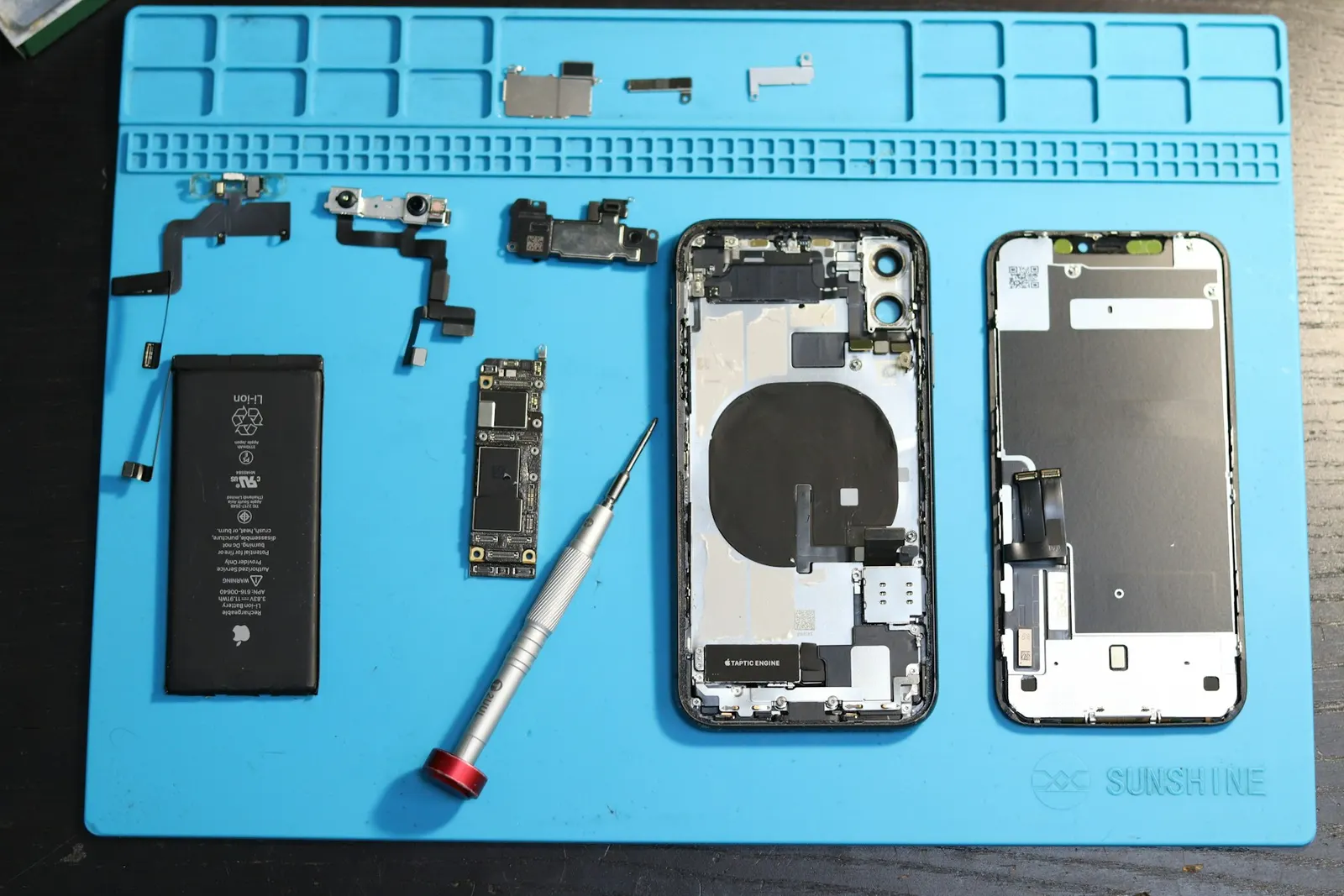
Independent repair shop - not affiliated with or endorsed by Apple.
Face ID is one of those features you only notice when it stops working. Suddenly you are typing your passcode for every unlock, every payment and every app sign-in. Customers bring iPhones to our Keshavpura shop with messages like "Face ID is not available" or with Face ID that simply fails to recognise them. Some of these are fixed in a few minutes with settings and cleaning. Others point to hardware damage. This guide walks through what you can check yourself, what usually causes Face ID to fail, and what to realistically expect from a repair.
What Face ID Actually Uses
Face ID relies on the TrueDepth camera system at the top of the iPhone's display. According to Apple, it projects and analyses thousands of invisible dots to create a depth map of your face and also captures an infrared image. That information is processed and protected within the iPhone's Secure Enclave. Because the system uses infrared light and precise sensors, anything that blocks, misaligns or damages that top area can stop Face ID from working.
Apple's own guide, If Face ID isn't working on your iPhone or iPad Pro, is the official starting point, and the steps below follow the same logic.
Checks You Can Do Yourself
1. Update iOS
Go to Settings, General, Software Update and install any available update. Apple lists this as a first step, and some Face ID problems are resolved by software updates.
2. Check the Face ID settings
Open Settings, then Face ID and Passcode. Make sure Face ID is set up and that the features you want to use it for, such as iPhone Unlock, App Store or Password AutoFill, are switched on. It sounds obvious, but a toggle switched off after an update or a reset is a common reason Face ID "stops working" for one particular app.
3. Clean and uncover the top of the screen
Remove any case or screen protector that covers the notch or Dynamic Island area and gently clean the top of the display with a soft, dry cloth. Thick tempered glass with a poorly cut notch area, privacy screen protectors, and grime can all interfere. In Kota's dusty conditions, a film of dust over the sensors is more common than people think.
4. Make sure your face is not blocked
Apple notes that your eyes, nose and mouth should be visible to the camera. Some sunglasses block the infrared light Face ID uses. If you set up Face ID with a mask, make sure your eyes are not blocked. Hold the phone at a natural distance, roughly an arm's length or closer.
5. Restart, then reset Face ID
Restart the iPhone and enter your passcode. If that does not help, go to Settings, Face ID and Passcode, tap Reset Face ID, then set it up again. If setup completes and Face ID works afterwards, the hardware is very likely fine.
When It Points to Hardware
Apple says you may need service if Face ID setup keeps asking you to position your face within the frame without continuing, or if the camera is not working and you cannot set up Face ID. Other signs of a hardware fault include:
- The message "Face ID is not available" or "Face ID has been disabled" appears and does not go away after a restart and update.
- Face ID stopped working right after a drop, especially one that cracked the top of the screen.
- Face ID stopped working after the phone got wet. Our article on iPhone water damage repair explains what liquid does inside an iPhone.
- Face ID stopped working after a screen or other repair.
- Other things at the top of the phone also misbehave, such as the front camera, the earpiece, or the screen not switching off during calls. Our guide to proximity sensor problems covers that last symptom.
Face ID After a Screen Replacement
This is one of the most common situations we are asked about. The Face ID components are separate from the display panel, so replacing a screen does not have to affect Face ID. Problems usually come from how the repair was done: a component or cable at the top of the phone damaged while opening it, parts not reconnected correctly, or the display assembly not seated properly. That is why we always check Face ID before and after any iPhone screen work, and note its status before we start. Our guide to iPhone screen replacement explains our approach to display repairs.
An Important Safety Point
Face ID uses a laser-based projector. Apple states that the laser system may be disabled for safety reasons if the device is damaged or malfunctions, and that improper repair or the use of non-genuine components in the laser systems could cause hazardous exposure and injury to eyes or skin. Apple recommends that a trained technician using genuine Apple parts carry out such repairs.
We take this seriously. When we diagnose an iPhone with a Face ID fault, we can check the phone for liquid damage and corrosion, check that connectors at the top of the phone are properly seated, test related parts like the front camera and earpiece, and tell you clearly what we find. If the fault is in the TrueDepth hardware itself, we will tell you honestly, and we will recommend Apple's own repair service for that part of the job rather than fitting parts that could be unsafe. You can check Apple's repair options at Apple Repair.
Quick Reference
| Situation | What to try or expect |
|---|---|
| Face ID fails only in some apps | Check the feature toggles in Face ID and Passcode settings |
| Face ID fails with a new case or protector | Remove it and clean the top of the screen |
| Fails after an iOS update | Restart, check for a further update, then reset Face ID |
| "Face ID is not available" after a drop | Likely hardware damage; get it inspected |
| Stopped after water exposure | Switch off, do not charge, get it checked for corrosion |
| Stopped after a screen repair elsewhere | Connector or component issue likely; get it inspected |
Is Your iPhone Still Under Apple Warranty?
If your iPhone is under Apple's warranty or an AppleCare plan, contact Apple or an Apple Authorised Service Provider first, because a repair by any independent shop, including ours, may affect that coverage. If the phone is out of warranty, or you want an independent diagnosis of what else may be wrong after a drop or spill, we are happy to help. See our iPhone repair page and our iPhone repair guide for Kota for the other iPhone repairs we handle.
Get a Free Check in Kota
If you have tried the steps above and Face ID still does not work, bring your iPhone to our Keshavpura shop. We will check it for free, explain what we find in plain language, and tell you honestly whether it is something we can fix or something that should go to Apple.
Frequently asked questions
Why does my iPhone say Face ID is not available?
It can be a temporary software issue, so restart the phone and install any iOS update first. If the message stays, especially after a drop, water exposure or a repair, it usually points to a fault in the TrueDepth camera system or its connections, which needs a hands-on inspection.
Can a screen protector stop Face ID from working?
Yes. Thick tempered glass with a badly cut notch area, privacy protectors, cases that cover the top edge, or dirt over the sensors can interfere with Face ID. Remove the protector and clean the top of the screen to test.
Does replacing the iPhone screen break Face ID?
It should not, because the Face ID parts are separate from the display panel. Problems after a screen repair usually come from damaged or badly reconnected parts at the top of the phone. That is why we test Face ID before and after any screen work.
Can you repair the Face ID hardware itself?
We can diagnose the phone, check for liquid damage and connection faults, and test related parts. Apple advises that the laser-based Face ID system be repaired only by trained technicians using genuine Apple parts, so if the TrueDepth hardware itself has failed, we will tell you honestly and recommend Apple's repair service.
Should I go to Apple if my iPhone is under warranty?
Yes. If your iPhone is covered by Apple's warranty or AppleCare, contact Apple or an Apple Authorised Service Provider first, because an independent repair may affect that coverage.
Questions & comments
Ask our Kota technicians anything about this repair. All posts are reviewed before they appear. For an urgent quote, WhatsApp us.
No comments yet, be the first to ask a question.
Leave a comment or ask a question
First, verify your email. We send a 6-digit code so we know you are a real person. Your email is never shown publicly.
Enter the 6-digit code we emailed to .