
You pick up a call and the moment you bring the phone to your ear, the screen goes dark, which is completely normal. What is not normal is when the screen refuses to come back on after you pull the phone away, or when it goes black even on speakerphone and you cannot tap any button to end the call. We see this problem regularly at our Keshavpura shop, and in most cases the fix is quick and inexpensive.
What the Proximity Sensor Does
The proximity sensor is a small infrared sensor, usually sitting beside the front camera. It detects when your face is close to the screen during a call and automatically turns off the display to save battery and prevent accidental taps. When you move the phone away, the sensor should detect that and wake the screen back up. When this cycle breaks, you end up with a stuck-black screen, unable to mute, hang up, or dial numbers.
Common Reasons the Sensor Fails
- Screen guard or tempered glass blocking the sensor: This is the number-one cause. A thick or cheaply cut protector can partially cover the sensor window. Even a small edge is enough to confuse it.
- Dust or oily film on the sensor: The small sensor window at the top of your phone collects dust, especially during Kota's dry winters and dusty months. A thin layer of grime acts like a permanent obstruction.
- Software glitch or a recent OS update: Android updates occasionally reset sensor calibration. Some coaching students in Kota have told us their phones started behaving oddly right after an automatic overnight update.
- Third-party call recording or dialler apps: Apps that intercept calls can confuse the sensor driver, keeping the screen off longer than intended.
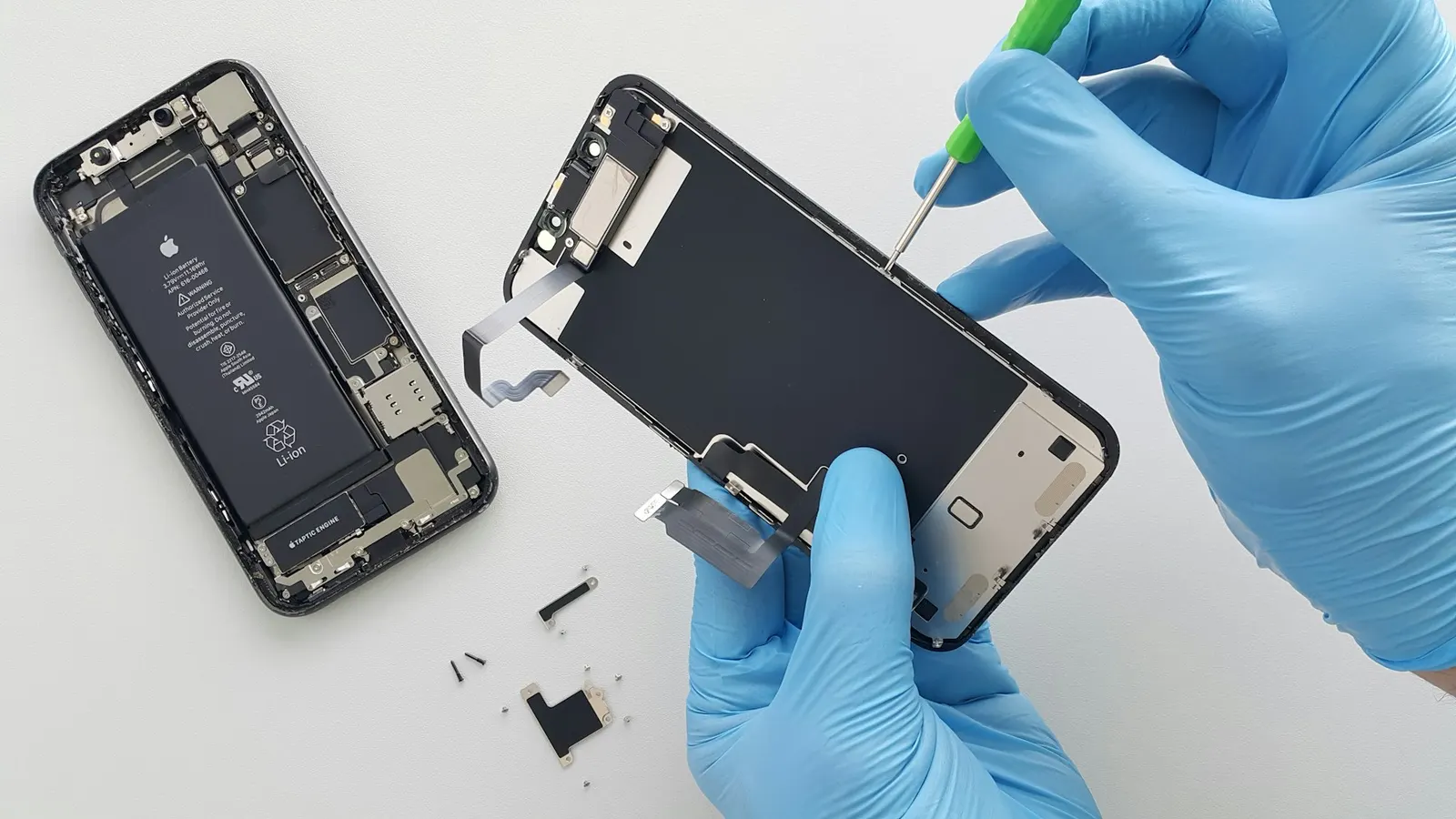
- Physical sensor damage: A drop on the top edge of the phone, or a screen replacement done with a low-quality panel that lacks a properly positioned sensor cutout, can damage the sensor itself.
Steps to Try at Home First
- Remove your screen protector and test a call. If the screen comes back on normally, you have found your culprit. Replace the protector with one that is precisely cut for your exact model.
- Gently clean the top of the phone near the earpiece and camera area with a dry microfibre cloth. Do not push dust into the speaker grille.
- Restart the phone and make a test call. A simple reboot resolves software-related calibration issues about a third of the time.
- Check your dialler app. If you recently installed a third-party dialler or call recorder, uninstall it and test again with the stock dialler.
- On Android, look for sensor calibration in settings. Some brands like Xiaomi and Realme, both very popular with students here in Kota, include a sensor diagnostic tool under Settings or in their built-in test menus (try dialling *#*#64663#*#* or *#*#6484#*#* depending on the brand).
When to Bring It to Us
If cleaning the protector and restarting did not help, the sensor hardware may need attention. At our Keshavpura shop, our technicians run a full sensor diagnostic to confirm whether the sensor itself is damaged or whether the issue lies in the display assembly, since some screens have the sensor built into the flex cable. We also check if a previous screen replacement was done with a panel that lacks a matching sensor aperture, which is a common quality issue with very cheap aftermarket screens.
Typical Repair Cost in Kota
| Issue | Typical Price Range |
|---|---|
| Screen guard replacement (correct fit) | ₹150 - ₹400 |
| Sensor cleaning or software calibration | ₹200 - ₹500 |
| Proximity sensor replacement (standalone) | ₹500 - ₹1,200 |
| Full display assembly (sensor integrated) | ₹1,200 - ₹6,000 |
These are indicative ranges only. The exact price depends on your phone's model and whether the sensor is a separate component or part of the display flex. We always confirm the cost after a free check-up before we begin any work.
A Word on Screen Replacements
If your screen was recently replaced elsewhere and this problem started immediately afterwards, the new panel may have an incorrectly positioned or missing sensor. We occasionally repair phones that were serviced by roadside shops, both in Kota and in nearby areas, where the technician fitted a panel without verifying sensor alignment. This is one of the reasons we insist on test calls before returning a phone after any display job.
Good Habits Going Forward
- Always buy screen protectors designed specifically for your phone model, universal-fit ones are the leading cause of sensor problems.
- After any screen replacement, make a test call before you leave the shop to confirm the sensor is working.
- If your phone restarts or updates overnight, do a quick test call in the morning before heading to class or work.
For most users in Kota, a proper screen guard swap or a quick cleaning visit to our shop at Keshavpura Circle is all it takes to fix this. Do not put up with a screen that will not wake during calls, it makes the phone nearly impossible to use and can cause you to miss important moments on a call.
Frequently asked questions
Why does my screen go black on calls but not come back on?
The proximity sensor thinks your face is still near the screen. This is usually caused by a screen protector covering the sensor, dust on the sensor window, or a software glitch. Try removing the protector and restarting first.
Can a screen guard really block the proximity sensor?
Yes, very commonly. Poorly cut or overly thick tempered glass can sit over the sensor's small window at the top of the phone, making it think the screen should stay off. Replacing it with a model-specific protector usually solves the problem instantly.
My screen replacement was done recently and now the sensor does not work, what happened?
The replacement panel may have a misaligned sensor cutout, or the sensor flex cable may have been damaged or omitted. Bring it back for inspection; a good shop will correct this at no extra charge if the repair was recent.
Is there a way to fix the proximity sensor without visiting a repair shop?
You can try: remove the screen guard, clean the sensor area, restart the phone, and uninstall any third-party dialler apps. If none of those work, the sensor likely needs hardware attention.
How long does a proximity sensor repair take?
If the sensor is a standalone component, the repair usually takes under an hour. If the sensor is integrated into the display assembly, it may require a few hours depending on part availability.
Questions & comments
Ask our Kota technicians anything about this repair. All posts are reviewed before they appear. For an urgent quote, WhatsApp us.
No comments yet, be the first to ask a question.
Leave a comment or ask a question
First, verify your email. We send a 6-digit code so we know you are a real person. Your email is never shown publicly.
Enter the 6-digit code we emailed to .