
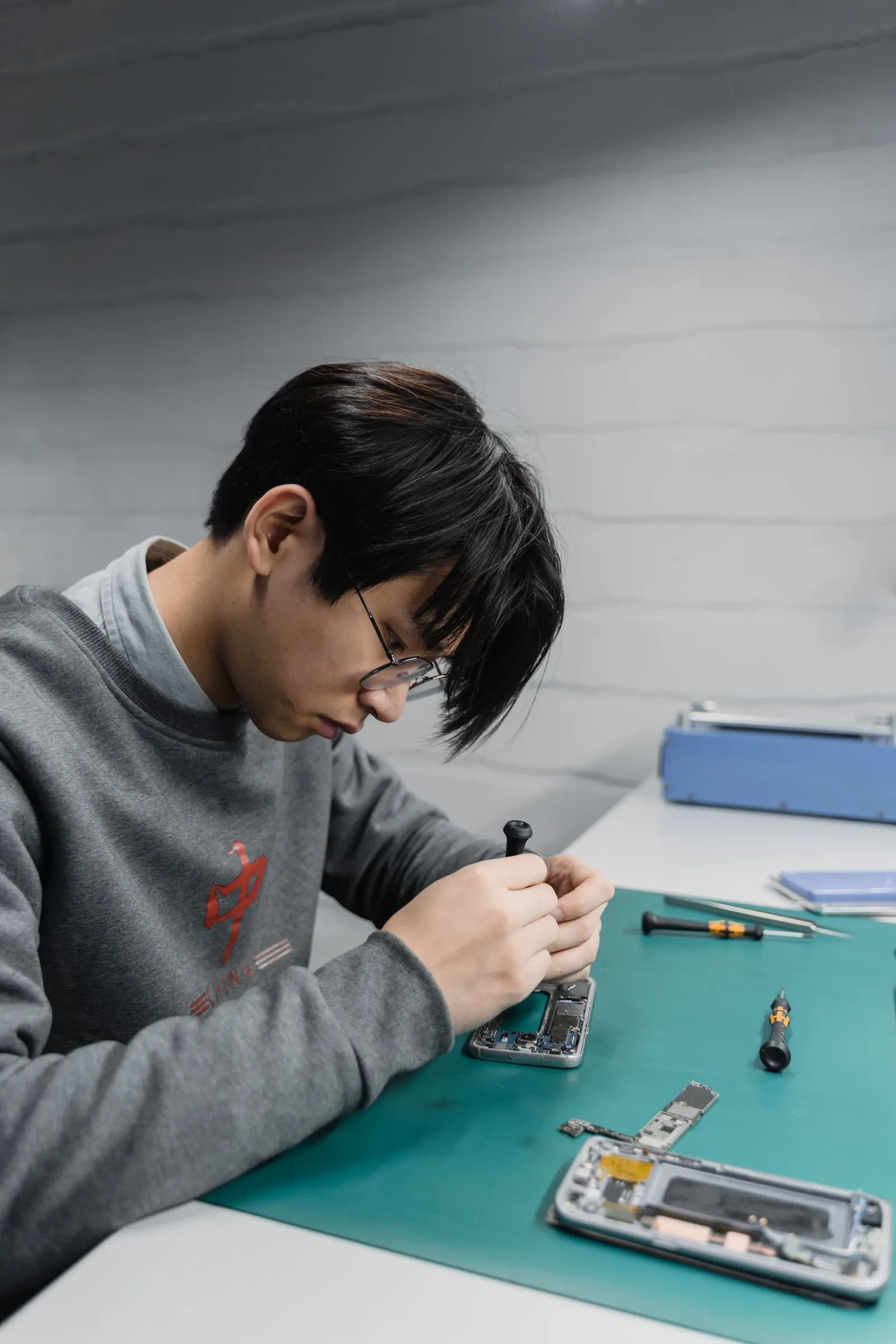
If your phone speaker produces crackling, buzzing, distortion, or a rattling sound during calls or music playback, something has changed with your audio hardware or software setup. At our Keshavpura shop we diagnose speaker distortion regularly, and the cause is usually one of a handful of clear problems. This guide helps you understand what is happening and what to do about it.
Understanding What "Distortion" Means in a Speaker
A phone speaker driver is a small coil and membrane that vibrates to produce sound. Clean, accurate sound requires the membrane to move freely and precisely within its range. Distortion, that buzzing, crackling, or rattling quality, happens when the membrane cannot move correctly. Common reasons include:
- Physical damage to the membrane (it has been pushed in, torn, or warped)
- Water in the speaker cavity causing the membrane to stick or vibrate unevenly
- Debris (dust, lint, a tiny grain of sand) touching the membrane
- The speaker playing at a volume beyond its rated capacity for too long, gradually weakening the membrane
- A loose speaker housing that rattles against the phone frame on certain frequencies
Check Volume and Equaliser Settings First
A very common cause of crackling is simply that the volume is too high for the speaker. Phone speakers are designed to reach their maximum at 100% volume, but sustained playback at maximum can cause distortion even in undamaged speakers. Reduce the volume to 70-80% and listen again, if the distortion disappears, the speaker itself may be fine and you just need to moderate the volume.
Also check if any equaliser or audio enhancement app is pushing certain frequencies beyond the speaker's range. Go to your music app's equaliser or your phone's sound settings and reset the equaliser to flat. Third-party audio booster apps are a frequent culprit for software-induced distortion.
Test Different Audio Sources
Play audio from different apps, a phone call on speakerphone, a YouTube video, a music streaming app, and a locally stored audio file. If distortion appears in all sources, the speaker hardware is the issue. If distortion only appears in one app (for example, only in a particular music player), that app's output settings or equaliser are likely the cause.
Water in the Speaker Is a Very Common Cause
In Kota's monsoon months we see a significant uptick in speaker distortion complaints. When water enters the speaker grille, from rain, splashes, or even heavy sweating in a front pocket, it settles on the membrane and causes distortion as the membrane sticks and releases during vibration. The distortion often has a wet, papery sound quality.
For fresh water damage, the phone's water-eject feature (available on many Android phones in settings) can help drive water out of the speaker grille. Some phones play a specific low-frequency tone that vibrates the membrane and pushes water out. Using this feature as soon as water exposure occurs can prevent lasting damage. If you did not do this at the time and the distortion has persisted for days, the membrane may already be damaged.
Physical Damage After a Drop
A hard drop can dislodge the speaker housing or bend the metal bracket that holds it in place, causing a rattle at certain frequencies. This "rattle" distortion tends to appear at specific volumes or with specific bass-heavy sounds. It can sometimes be fixed by reseating and securing the speaker housing without replacing the speaker itself, bring the phone to us and we will check.
When the Speaker Needs Replacement
If the distortion is severe at all volumes, consistent across all audio sources, and was not helped by volume reduction, equaliser reset, or a water-eject attempt, the speaker membrane is likely physically damaged. A damaged speaker membrane cannot be repaired, it needs to be replaced. This is a straightforward repair on most phone models.
Speaker replacement is one of the more affordable hardware fixes. We carry speaker units for most popular brands in our Keshavpura shop, and we can usually complete the replacement the same day.
Typical Repair Costs in Kota
| Repair | Typical Price Range |
|---|---|
| Speaker grille cleaning (no parts) | ₹100 - ₹300 |
| Speaker housing reseating | ₹150 - ₹400 |
| Loudspeaker replacement | ₹300 - ₹1,200 |
| Audio IC repair (board-level) | ₹1,200 - ₹3,500 |
These are 2026 price ranges for Kota. Exact cost depends on your phone model and what the diagnosis reveals. We confirm all pricing after a free check-up, no charge just for assessing your phone.
Come to Our Keshavpura Shop
Crackling sound that is not resolved by adjusting volume or the equaliser almost always requires a physical inspection. Bring your phone to us and we will identify whether the fault is in the speaker, the housing, or the audio circuit, and give you a clear quote before starting any repair.
Frequently asked questions
My speaker only crackles at high volumes but sounds fine at low volumes. Is it damaged?
This is an early sign of speaker damage, the membrane is weakened but not yet fully failed. Use lower volumes for now and get it repaired before it deteriorates further.
Can I continue using my phone with a crackling speaker?
Yes, a crackling speaker is not a safety issue. However, it will likely worsen over time, especially if caused by water damage that continues to corrode internally. It is best repaired soon.
My speaker crackles only during phone calls, not during music. Why?
Call audio and media audio often use different volume levels and codecs. A distortion that only appears on calls could indicate a different audio path issue or that the earpiece (not the loudspeaker) is the source. We can identify which speaker is affected during our free diagnosis.
The crackling started after I dropped the phone but the screen is fine. Is it the speaker?
Yes. A drop that does not visibly damage the screen can still dislodge the speaker housing or damage the membrane. Bring it in and we will check the speaker seating before considering a full replacement.
Will replacing the speaker improve my phone's sound quality above its original level?
A replacement speaker restores your phone to its original audio quality, it does not upgrade it. If you want better audio, external Bluetooth speakers are a better option than changing the internal speaker.
Questions & comments
Ask our Kota technicians anything about this repair. All posts are reviewed before they appear. For an urgent quote, WhatsApp us.
No comments yet, be the first to ask a question.
Leave a comment or ask a question
First, verify your email. We send a 6-digit code so we know you are a real person. Your email is never shown publicly.
Enter the 6-digit code we emailed to .