
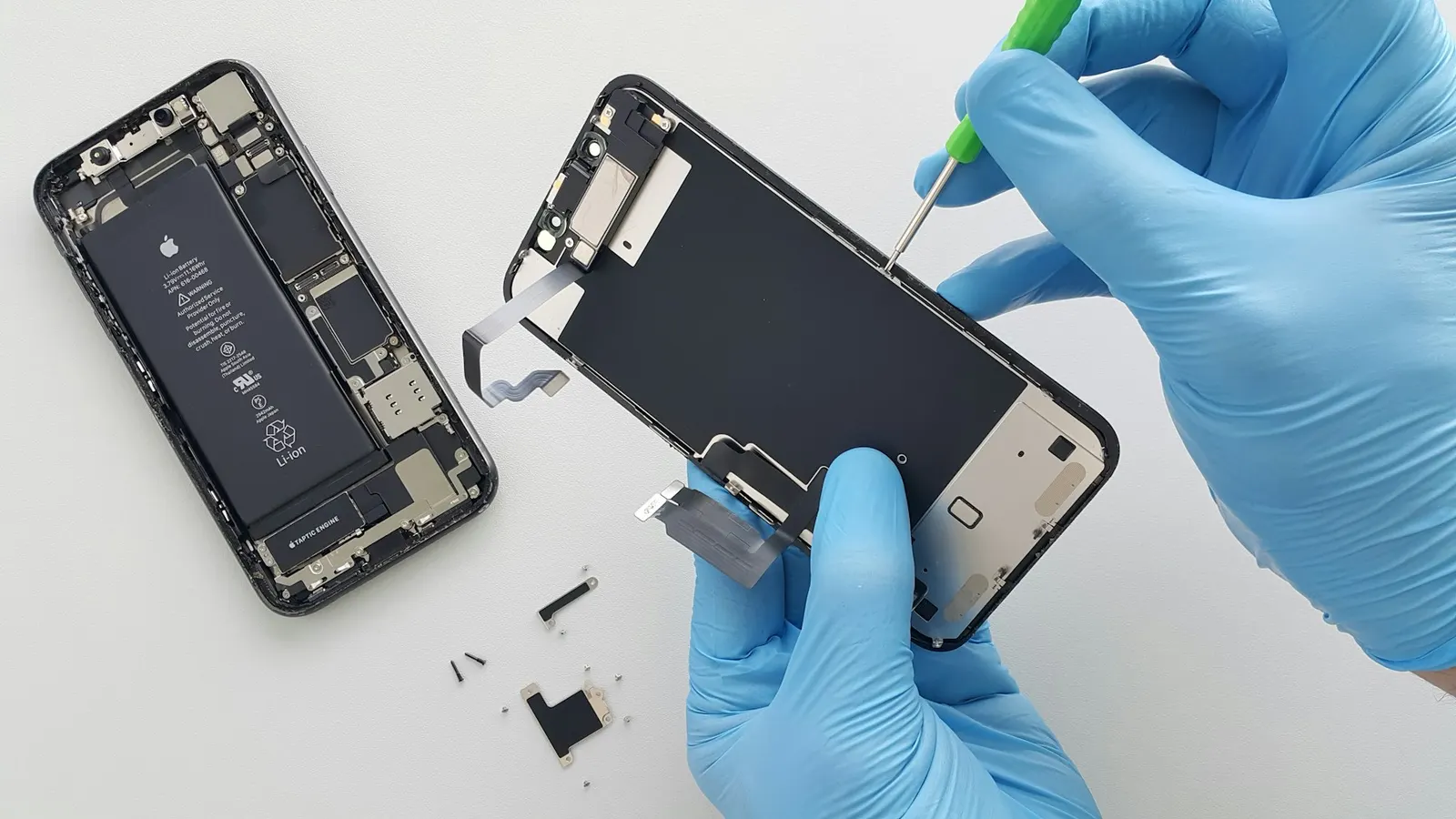
There are few things more frustrating during an important call than being told by the other person that they cannot hear you at all, or that you sound very muffled and distant. At our Keshavpura shop we diagnose microphone problems frequently, and we follow a consistent sequence of tests that quickly identifies whether the fix is simple or requires proper repair. This guide shares that process with you.
First: Confirm It Is the Microphone
Open the voice recorder app on your phone and record yourself speaking for ten seconds, then play it back. If your voice is captured clearly on the recording, your microphone hardware is working and the problem is likely in the call routing or a specific app's permissions. If the recording is silent or very faint, you have confirmed a microphone fault.
Also test by making a call with speakerphone on. On many phones there are two microphones, the main microphone at the bottom of the phone (used during normal calls and recording) and a secondary microphone at the top (used for noise cancellation on speakerphone and video calls). If speakerphone calls are fine but normal calls are not, only the secondary mic may be affected, or the audio routing is the issue.
Check the Microphone Opening for Blockage
The microphone on most phones is a tiny pinhole at the bottom of the device, often next to the charging port. This pinhole is incredibly easy to block without noticing. Common blockers include:
- A phone case that covers the microphone hole, some cheaper cases are cut slightly wrong and partially obstruct the mic
- Dust and lint from pockets, in Kota's dusty conditions this is a genuine and frequent cause
- Dried liquid residue from a splash or monsoon rain sitting over the pinhole
- A screen protector that has been applied too far down and covers the bottom microphone grille on certain models
Remove the case and inspect the microphone pinhole carefully. Use a clean toothpick or very soft brush to gently dislodge any visible debris. Do not push anything into the pinhole itself, this can damage the microphone capsule directly behind it.
Check App Permissions
For video call apps like WhatsApp, Google Meet, or Zoom, microphone permission must be granted specifically to that app. Go to Settings, then Apps, then find the relevant app, and check its Permissions. Ensure Microphone is allowed. On some Android versions a recent update may have reset app permissions, causing calls to go silent without warning.
Restart and Test Again
A full restart clears audio driver states and often resolves temporary microphone failures caused by software glitches. After restarting, make a test call and use the voice recorder test again. If the mic works immediately after a restart but fails again later, a rogue background app may be holding the microphone open and blocking other apps from using it, check which apps have microphone access and remove it from any you do not recognise.
When Hardware Repair Is Needed
If the voice recorder test confirms the mic is not picking up audio, and cleaning the pinhole and checking permissions has not helped, the microphone capsule itself is likely damaged. Common hardware causes include:
- Water damage: Water entering the microphone pinhole during monsoon rain or a splash can corrode or short the microphone capsule, often quickly and permanently.
- Physical impact: A hard drop that drives the microphone capsule against its housing can cause permanent failure.
- Board-level fault: In some cases the audio IC on the motherboard that processes the microphone signal has failed, this requires micro-soldering rather than a simple mic replacement.
Typical Microphone Repair Costs in Kota
| Repair Type | Typical Price Range |
|---|---|
| Microphone module replacement | ₹300 - ₹1,000 |
| Charging flex replacement (mic integrated) | ₹400 - ₹1,500 |
| Audio IC repair (board-level) | ₹1,200 - ₹3,500 |
| Board cleaning after water damage | ₹300 - ₹800 |
On many phones the microphone is part of the same flex cable as the charging port, so both may be replaced together. We check this and confirm the exact cost after a free diagnosis, you pay nothing for the check-up.
Come to Our Keshavpura Shop
If the troubleshooting steps here have not resolved your microphone problem, bring your phone to us. We will run the voice recorder test, inspect the pinhole, and open the phone if needed to check the mic module and its connection. Microphone repairs are quick and generally affordable, and we will give you a firm price before starting any work.
Frequently asked questions
My mic works for voice recording but not on WhatsApp calls. Why?
WhatsApp needs its own microphone permission. Go to your phone settings, find WhatsApp under Apps, and ensure the Microphone permission is enabled.
I can be heard on speakerphone but not on a normal call. What does this mean?
Your phone likely has two microphones, a bottom mic for normal calls and a top mic for speakerphone. If only speakerphone works, the bottom microphone may be blocked or damaged.
Can water damage the microphone even if the phone seems to work otherwise?
Yes. The microphone capsule is very sensitive to moisture. A single splash into the pinhole can damage it while other parts of the phone are completely unaffected.
Is microphone replacement possible without replacing the whole charging port?
It depends on the phone model. On some phones the microphone is a standalone component; on others it is integrated into the charging flex. We check this and advise you on the most cost-effective repair.
How do I know if the problem is the mic or the network?
Use the voice recorder test, if that picks up your voice clearly, your mic hardware is fine and the issue may be network-related or app-specific. If the voice recorder also fails to capture sound, the mic itself is the problem.
Questions & comments
Ask our Kota technicians anything about this repair. All posts are reviewed before they appear. For an urgent quote, WhatsApp us.
No comments yet, be the first to ask a question.
Leave a comment or ask a question
First, verify your email. We send a 6-digit code so we know you are a real person. Your email is never shown publicly.
Enter the 6-digit code we emailed to .